
Comparison
One question decides it
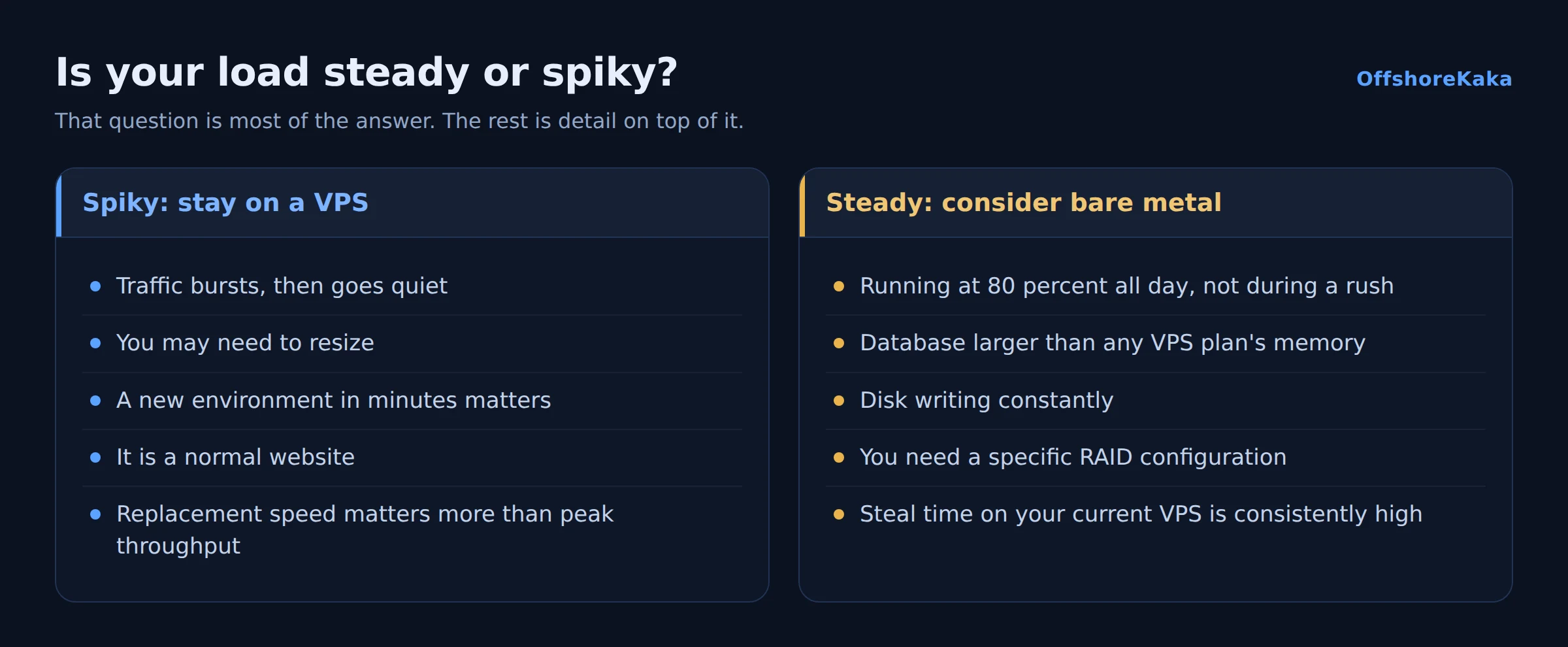
Is your load steady, or does it spike? That is genuinely most of the answer.
Virtualisation is good at bursty work, because the physical machine absorbs one tenant’s spike while others are quiet. Sustained heavy load is where that stops helping and dedicated hardware starts earning its price. Everything else in this comparison is detail on top of that.
What is the same
More than people expect, if the VPS is KVM.
Both give you root, your own operating system, and a machine nobody else logs into. Both put maintenance, security and backups entirely on you. Both sit under the same jurisdiction and the same abuse policy if they are in the same datacentre. On a KVM VPS the memory you paid for is reserved, exactly as on bare metal.
So the pitch that a dedicated server gives you control is only half true. A KVM VPS already gives you control. What bare metal adds is the hardware underneath it.
What is different
Disk I/O. The largest real difference. On a VPS the drives are shared with other tenants, so throughput depends on what they are doing. On bare metal the drives are yours. For a database writing constantly, this is significant and consistent.
The memory ceiling. VPS plans stop somewhere. If your database working set is larger than any available plan, every query goes to disk and performance collapses. A dedicated server goes as far as the motherboard allows.
Hardware control. RAID level, extra drives, specific CPU features. None of it visible from inside a virtual machine.
Provisioning and replacement. A VPS is ready in about a minute. A dedicated server takes hours or days. That difference matters most on the day something fails.
Resizing. Changing a VPS plan is a reboot. Changing dedicated hardware is a migration to a different machine.
The numbers that decide it
Rather than guessing, measure. These three answer it.
top -bn1 | head -3Steal time, the st column. That is the share of time your virtual CPU wanted to run and the physical host was busy elsewhere. Near zero means virtualisation is costing you nothing and dedicated hardware would not help. Consistently above a few percent means the host is oversubscribed. Above ten percent, move.
free -hThe memory ceiling. If available memory is near zero at your busiest hour and the largest plan available is not much bigger than what you have, you are approaching the limit of what virtualisation can offer you.
top -bn1 | head -3 # look at the wa figureI/O wait. High wa with idle CPU means processes are queuing on the disk. On a VPS that can be your workload or it can be a neighbour’s, and you cannot tell from inside. It is the strongest single argument for dedicated hardware.
Check all three during your busy period. At 3am everything looks fine and you learn nothing.
Side by side
| KVM VPS | Dedicated server | |
|---|---|---|
| Root access | Yes | Yes |
| Memory | Reserved, capped by plan | All of it |
| Disk I/O | Shared with other tenants | Entirely yours |
| Ready in | About a minute | Hours to days |
| Resize | Change plan, reboot | New machine, migration |
| Hardware choice | None | CPU, disks, RAID |
| Recovery access | Panel console | IPMI |
| Price | From ₹999/mo | Several times more |
| Failure recovery | Redeploy in minutes | Hardware swap, or migrate |
Cost and risk
Past roughly three or four mid-sized VPS instances, one dedicated server usually gives you more resource per rupee. That is the case for consolidating.
The case against is failure. One machine is one point of failure, and replacing it takes hours or days rather than minutes. Several VPS instances, ideally not all on the same host, survive a single failure in a way one big box does not.
A common compromise is a dedicated server for the database and the steady workload, with VPS instances for anything that needs to scale up and down. You get the I/O where it matters and the flexibility where it matters.
Whichever you choose, the backup and monitoring work is identical, and it is what actually determines whether a failure is an inconvenience or a disaster. Our backup guide and monitoring guide apply to both equally.
Decision checklist
- Steal time measured during a busy period.
- Available memory checked at peak, not at night.
- I/O wait checked with the
wafigure. - Load pattern identified as steady or bursty.
- Database working set compared against available memory.
- Replacement time factored in, not just monthly cost.
- Backups and monitoring in place either way.
Not sure which you need?
OffshoreKaka runs both KVM VPS and AMD EPYC dedicated servers in Amsterdam and Frankfurt, so you can start on a VPS and move to metal without changing provider.
FAQ
Is a dedicated server always faster?
Under sustained load, yes. For an ordinary website, often not, because the bottleneck is the application rather than the hardware. An uncached WordPress page costs several hundred milliseconds of server time regardless of what it is running on. Measure with our TTFB guide before spending money on hardware.
Can I move from VPS to dedicated later?
Yes, it is a standard migration: copy, test on the new machine, switch DNS. Staying with the same provider makes it easier since both machines can share a network during the move.
Which is more secure?
Practically the same. Both are as secure as you make them, and nearly every real compromise comes from an unpatched application rather than from a neighbour on the hypervisor. Our security checklist applies to both.
What about a managed option?
Available for both, and worth pricing if you need the resources but not the maintenance. You pay more per month and less in your own time, which for a business is usually the better trade.