
Server Guides
The only thing that counts
A backup is not a backup until you have restored from it. Everything else on this page is detail. We have seen people run nightly archives for two years, lose a server, and then discover the cron job had been failing silently since month one because a disk filled up.
So this guide covers what to back up on an offshore server, how to automate it, how to get the copies off the machine, and how to actually test a restore without breaking the live site.
What actually needs backing up
Not everything on the disk. Copying the whole filesystem gives you a huge archive full of things you can reinstall in five minutes, and it makes restores slower and more confusing.
- The database. Every post, user, order and setting. Losing this is the one you cannot recover from.
- User uploads.
wp-content/uploadsfor WordPress. Images and documents people gave you that exist nowhere else. - Config files.
wp-config.php, your nginx or Apache vhost, any cron scripts, TLS certificates if they are not from Let’s Encrypt. - Custom code. A child theme or a plugin you wrote. If it is in git, git is your backup.
Core files, stock plugins and themes are all downloadable, so they are optional. Include them if the archive stays small, skip them if it does not.
3-2-1 in plain terms
Three copies of the data, on two different kinds of storage, one of them somewhere else entirely. The rule matters because of how servers actually die. A snapshot on the same hypervisor does not help when the account gets suspended. A second disk does not help when the datacentre has a problem. The off-site copy is the one that saves you, and it is the one most setups are missing.
The database
mysqldump --single-transaction --quick -u dbuser -p dbname > /backups/db-$(date +%F).sqlThose two flags matter on a live site. --single-transaction takes a consistent snapshot without locking tables, so the site keeps working during the dump. --quick streams rows instead of buffering the whole table in memory, which is what stops a big table from killing a 2GB VPS.
Compress it. SQL is text and compresses to about a tenth of its size:
mysqldump --single-transaction --quick -u dbuser -p dbname | gzip > /backups/db-$(date +%F).sql.gzThe files
tar czf /backups/files-$(date +%F).tgz /var/www/yourdomain.com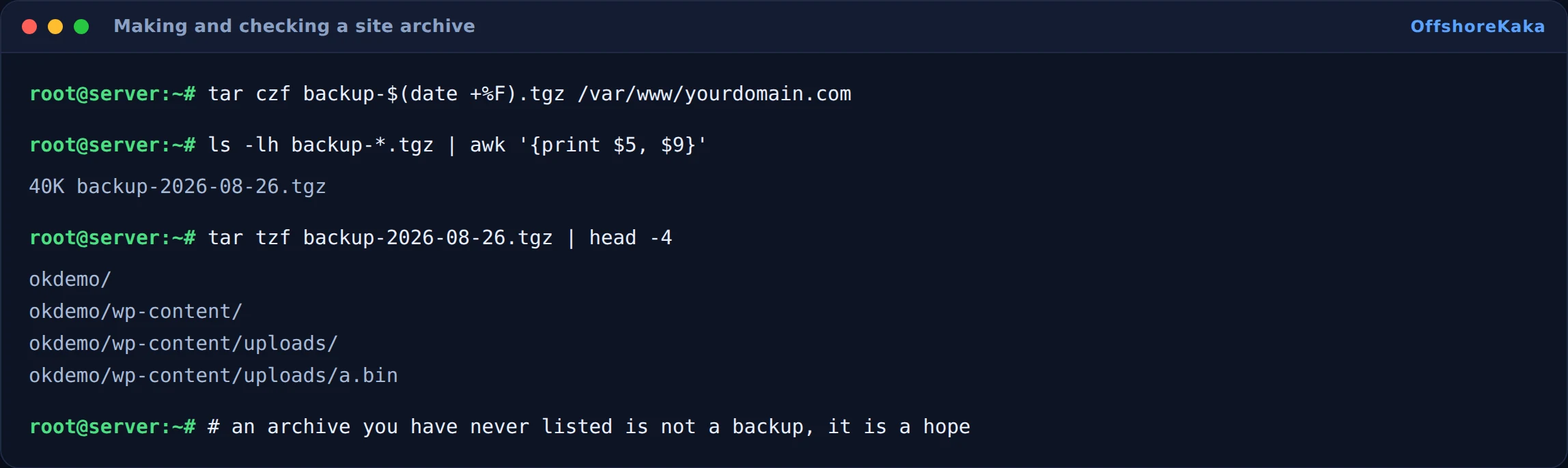
That second command is the habit worth building. tar tzf reads the archive and prints what is in it. It takes a second and it catches the case where the archive was created but is empty, which is more common than you would think.
Skip caches while you are at it. They are large, they regenerate on their own, and they add nothing to a restore:
tar czf /backups/files-$(date +%F).tgz
  --exclude='*/cache/*' --exclude='*/wp-content/cache/*'
  /var/www/yourdomain.com
Automating it
Put the commands in a script rather than in the crontab line itself. Crontab lines with pipes and date substitutions get mangled, and a script is something you can run by hand to test.
crontab -e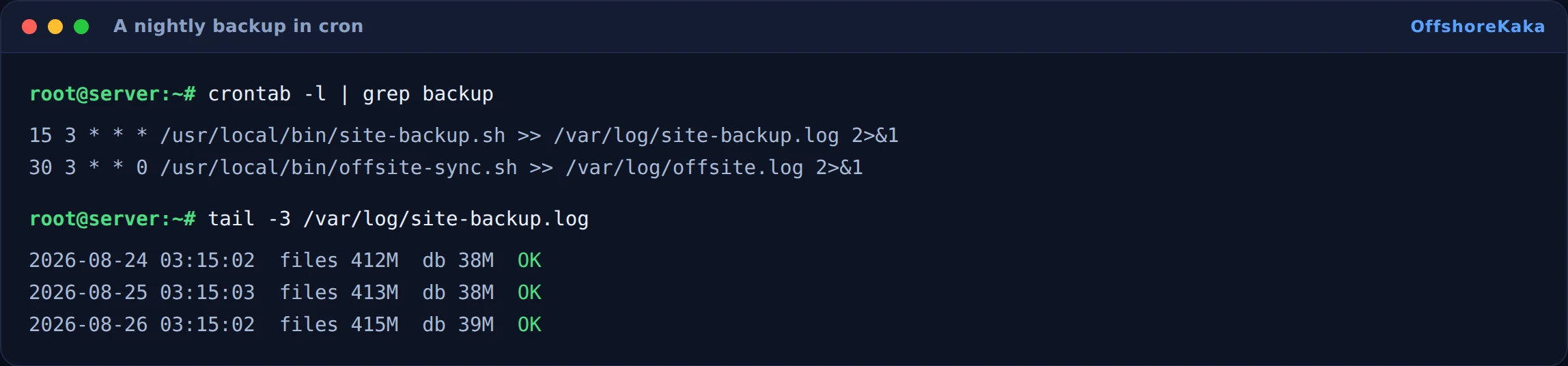
Always redirect output to a log. A cron job that fails silently is worse than no cron job, because you believe you are covered. Make the script echo the archive sizes as it goes, so a sudden drop from 400MB to 2KB is obvious at a glance.
Add retention too, or the disk fills and every job after that fails:
find /backups -name '*.tgz' -mtime +14 -delete
find /backups -name '*.sql.gz' -mtime +30 -delete
Getting it off the server
A backup sitting on the same disk as the site protects you from exactly one thing: deleting a file by accident. It does nothing about hardware failure, a compromise, or an account suspension.
rsync -az --delete /backups/ [email protected]:/srv/yourdomain/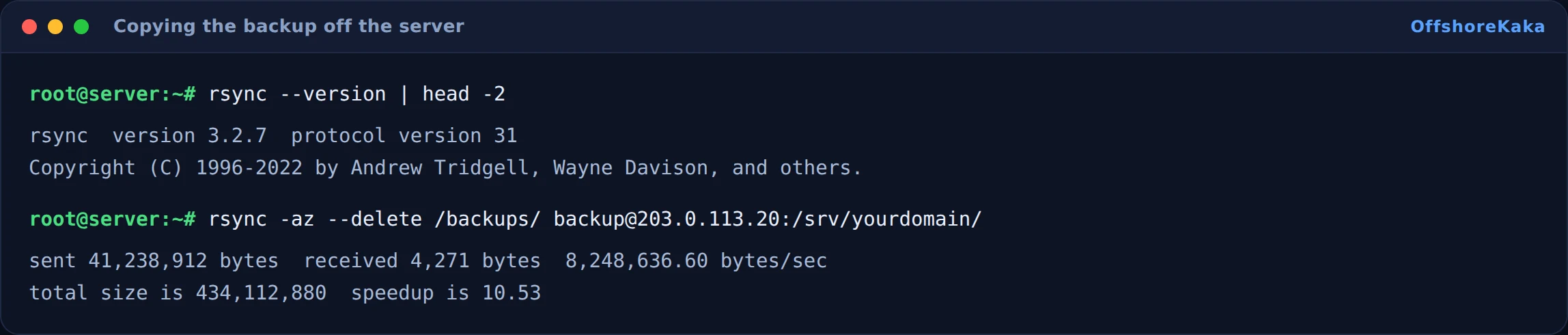
For object storage, rclone handles Backblaze B2, Wasabi and S3 with the same syntax:
rclone copy /backups remote:yourdomain-backupsTwo things to get right here. Use a key that can write but not delete, so that if the server is compromised the attacker cannot wipe your backups along with it. And encrypt anything leaving the server, because a database dump contains user data and password hashes.
Testing a restore
Never test on production. Spin up the cheapest VPS you can rent for an hour, or use a staging subdomain, and restore into that.

The restore itself:
- Extract the file archive to the new web root.
- Create an empty database and import the dump into it.
- Update the database credentials in
wp-config.php. - Fix the URLs so the copy does not phone home to the live site. Our staging site guide covers this.
- Load the homepage, an inner page, and log in to the dashboard.
Write down how long it took. When you actually need a restore, knowing it takes forty minutes is the difference between a calm afternoon and a panic.
Set an alert on the backup log too, so a failing job tells you rather than waiting to be discovered. Our monitoring guide covers alerting on disk space, which is the thing that usually kills a backup job in the first place.
When something breaks
| What you see | Why | Fix |
|---|---|---|
| Backup file is a few kilobytes | Wrong credentials or wrong database name, and the error went to a log nobody reads | Run the command by hand and read the output |
| Cron job never runs | Script is not executable, or cron has a minimal PATH | chmod +x the script and use full paths to mysqldump and tar inside it |
| Disk full, everything fails | No retention policy | Add the find and delete lines above |
| Import fails on unknown collation | Restoring a newer MySQL dump onto an older server | Match the versions, or dump with --compatible |
| Site loads but images are missing | Uploads were excluded by an over-eager exclude pattern | List the archive and check uploads is really in it |
| MySQL dies during the dump | No --quick, and a large table filled memory |
Add --single-transaction --quick |
Checklist
- Database dumped with
--single-transaction --quickand compressed. - Files archived, caches excluded, and the archive listed to confirm contents.
- Both running from a script on a cron schedule.
- Output written to a log that shows file sizes.
- Retention set so the disk cannot fill.
- Copies going off the server with a write-only key.
- A full restore tested somewhere that is not production.
- Restore time written down.
Want backups you do not have to think about?
OffshoreKaka shared hosting includes automatic backups, and VPS plans give you root so you can run exactly the schedule you want.
FAQ
How often should backups run?
Ask yourself how much work you are willing to redo. A blog that gets one post a week is fine on daily backups. A shop taking orders every hour needs the database backed up several times a day, because losing six hours of orders is a real business problem. Files change less than databases, so it is normal to back them up less often.
Are host snapshots enough?
They are a good first copy and a fast way back from a bad update. They are not an off-site copy, because they live with the same provider and usually on the same infrastructure. If the account goes away, so do they. Use them, but not only them.
Should I encrypt the backups?
Yes, for anything leaving the server. A database dump has user emails and password hashes in it. gpg --symmetric before upload, or rclone’s built-in crypt remote, both work fine.
Do backups help SEO?
Only in the sense that a site which comes back up in an hour instead of a week keeps its rankings, and one that is gone for a week does not. There is no direct credit for having them.