
Installation Guides
Why LiteSpeed instead of nginx
The reason people move to LiteSpeed is LSCache. It is a page cache built into the web server itself rather than bolted on as a PHP plugin, so a cached page never touches PHP or the database at all. On WordPress that usually takes time to first byte from several hundred milliseconds down to tens.
OpenLiteSpeed is the free version and it is what this guide installs on an offshore VPS. The paid LiteSpeed Enterprise reads Apache config and .htaccess directly; OpenLiteSpeed does not, which is the main thing to know before you start.
Installing it
Start on a clean server, or at least stop anything already holding ports 80 and 443. Two web servers fighting over the same port is a confusing failure.
wget -O - https://repo.litespeed.sh | bash
apt install openlitespeed lsphp83 lsphp83-mysql lsphp83-curl lsphp83-common -y
Note the PHP packages are lsphp, not php. LiteSpeed runs its own PHP build, and a system PHP installed alongside it will not be the one serving your pages. This trips people up constantly: they install php-gd, restart, and nothing changes, because the running PHP is lsphp83.
systemctl enable --now lsws
systemctl status lsws
The admin console
/usr/local/lsws/admin/misc/admpass.shThat sets the WebAdmin username and password. The console then lives on port 7080 over HTTPS.
Do not open 7080 to the internet. It is a full administrative interface for your web server. Restrict it to your own IP:
ufw allow from 203.0.113.5 to any port 7080 proto tcp
ufw allow 80/tcp
ufw allow 443/tcp
Or better, leave it closed and reach it through an SSH tunnel when you need it:
ssh -L 7080:localhost:7080 deployer@your-server-ipThen open https://localhost:7080. Nothing is exposed. The certificate warning is expected, since it is a self signed certificate on localhost.
While you are there, note that OpenLiteSpeed ships with a demo site on port 8088. Turn that off once your real site works, or you have a second copy of a default page answering on a port you forgot about.
Setting up the site
In WebAdmin, create a virtual host with the document root pointing at your site directory, then add a listener on 80 and 443 mapped to it.
The one thing to get right is the rewrite rules. OpenLiteSpeed does not read .htaccess, so WordPress permalinks will not work until you add the rules in the vhost Rewrite tab:
RewriteRule ^index.php$ - [L]
RewriteCond %{REQUEST_FILENAME} !-f
RewriteCond %{REQUEST_FILENAME} !-d
RewriteRule . /index.php [L]
Without these, the homepage loads and every other URL returns 404. It is the same symptom as a missing try_files on nginx and it has the same cause.
Then get a certificate:
apt install certbot -y
certbot certonly --webroot -w /var/www/yourdomain.com -d yourdomain.com -d www.yourdomain.com
Point the listener at the resulting certificate and key paths in WebAdmin. Our SSL guide covers testing renewal, which matters more than the initial issue.
Turning on LSCache
This is the whole point, and it is the step people skip. Installing LiteSpeed alone gains you very little. LSCache is what makes the difference.
Install the LiteSpeed Cache plugin from the WordPress repository and enable caching in its settings. The plugin talks to the web server, so it only works on LiteSpeed or OpenLiteSpeed. On nginx or Apache it does nothing.
In WebAdmin, make sure the cache module is enabled at server level too, with a cache root set. If the plugin says caching is on but nothing is being cached, this is usually why.
Proving it works
curl -sI https://yourdomain.com/ | grep -i x-litespeed-cache
The first request after a change will be a miss and the second should be a hit. Two things stop it working: being logged in, which bypasses the cache by design, so always test in a private window; and a plugin setting a cookie on every request, which makes each visitor look unique.
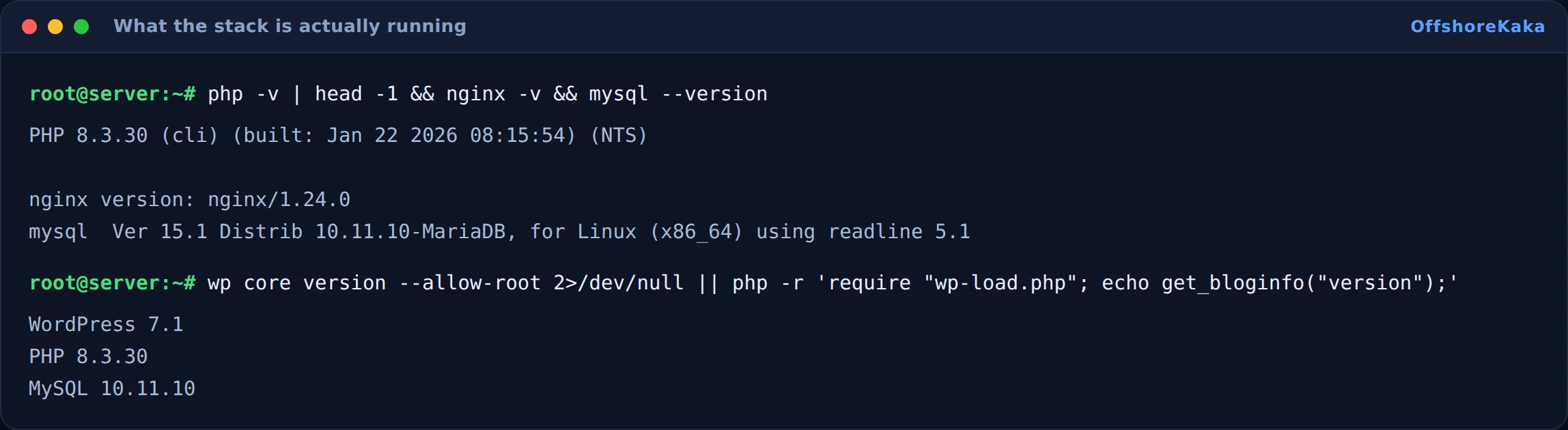
Check the versions actually running while you are there, since with lsphp alongside a system php it is easy to be looking at the wrong one:
How to test
- Site loads over HTTPS.
- An inner page loads, proving the rewrite rules are in place.
- Second request returns a cache hit header.
- Publishing a post clears the cache for that page.
- Port 7080 is not reachable from outside.
- The 8088 demo site is off.
- Reboot and confirm lsws comes back on its own.
When something breaks
| What you see | Why | Fix |
|---|---|---|
| Homepage fine, other pages 404 | Rewrite rules missing, no .htaccess support |
Add the rules in the vhost Rewrite tab |
| PHP extension installed but not active | You installed php-x instead of lsphp83-x |
Install the lsphp package and restart lsws |
| Cache header always says miss | Logged in, or a cookie set on every request | Test privately, then find the plugin setting the cookie |
| lsws will not start | Port 80 held by nginx or Apache | Stop and disable the other web server |
| Config changes have no effect | Graceful restart not done | /usr/local/lsws/bin/lswsctrl restart |
| Stale page served after an edit | Cache not purged for that URL | Purge from the plugin, and check the purge rules |
Checklist
- Installed on a clean server with no other web server running.
- lsphp packages used for PHP extensions.
- WebAdmin password set and port 7080 not public.
- Demo site on 8088 disabled.
- Rewrite rules added for permalinks.
- Certificate installed and renewal tested.
- LSCache plugin installed and enabled at server level.
- Cache hit confirmed in the response headers.
Want LiteSpeed without configuring it?
OffshoreKaka shared and reseller hosting runs LiteSpeed Enterprise with LSCache already tuned, on NVMe in Amsterdam and Frankfurt.
FAQ
Is OpenLiteSpeed the same as LiteSpeed Enterprise?
Same core and the same LSCache. The differences that matter day to day: Enterprise reads Apache config and .htaccess directly, so it is a drop in replacement for Apache, and it supports more workers. OpenLiteSpeed needs rewrite rules configured in the vhost instead, and is limited to one worker on some setups. For a single site the free version is fine.
Will LiteSpeed alone make my site faster?
Only a little. The web server itself is not usually the bottleneck. What makes the difference is LSCache, and that is a separate step. Install LiteSpeed without enabling the cache and you will barely notice a change.
Can I use LSCache on nginx?
No. The plugin communicates with the LiteSpeed server, so on nginx or Apache it does nothing. Use fastcgi_cache or a PHP page cache plugin instead. Our TTFB guide covers the alternatives.
Does using LiteSpeed help my ranking?
Not by name. Google cannot see which web server you run, only how quickly the page arrives. A faster response helps a little as a tiebreaker, and speed matters far more for visitors staying than for rankings.