
Installation Guides
A free panel that installs in ten minutes
aaPanel gives you a web interface for sites, databases, certificates, cron jobs and backups on an offshore VPS, without a licence fee. For one person running a handful of sites it covers most of what cPanel does.
The single most important thing about the install is the output at the end. It prints a URL with a random path, a username and a password, and it prints them once. Copy them somewhere before you close that terminal.
Installing
Start on a fresh server. Like any panel, aaPanel wants to install and manage nginx, MySQL and PHP itself, and it will conflict with anything already there.
On Ubuntu or Debian:
wget -O install.sh https://www.aapanel.com/script/install-ubuntu_6.0_en.sh
bash install.sh aapanel
On AlmaLinux or Rocky:
yum install -y wget
wget -O install.sh https://www.aapanel.com/script/install_6.0_en.sh
bash install.sh aapanel
It runs for a few minutes and finishes by printing the panel address, username and password.
The login details
The panel URL includes a random path, something like http://your-server-ip:8888/a1b2c3d4. That path is a security measure: without it the port answers nothing useful. It also means losing it is genuinely inconvenient.
If you did lose it, you can print everything again from SSH:
bt defaultAnd reset the password if you need to:
bt 5The bt command is the panel’s own management tool and it is worth knowing. bt on its own lists what it can do, including restarting the panel and changing the port.
Locking the panel down
Do this before you host anything. A control panel on a public port is a root level login form facing the internet.
ufw allow from 203.0.113.5 to any port 8888 proto tcp
ufw allow 80/tcp
ufw allow 443/tcp
ufw enable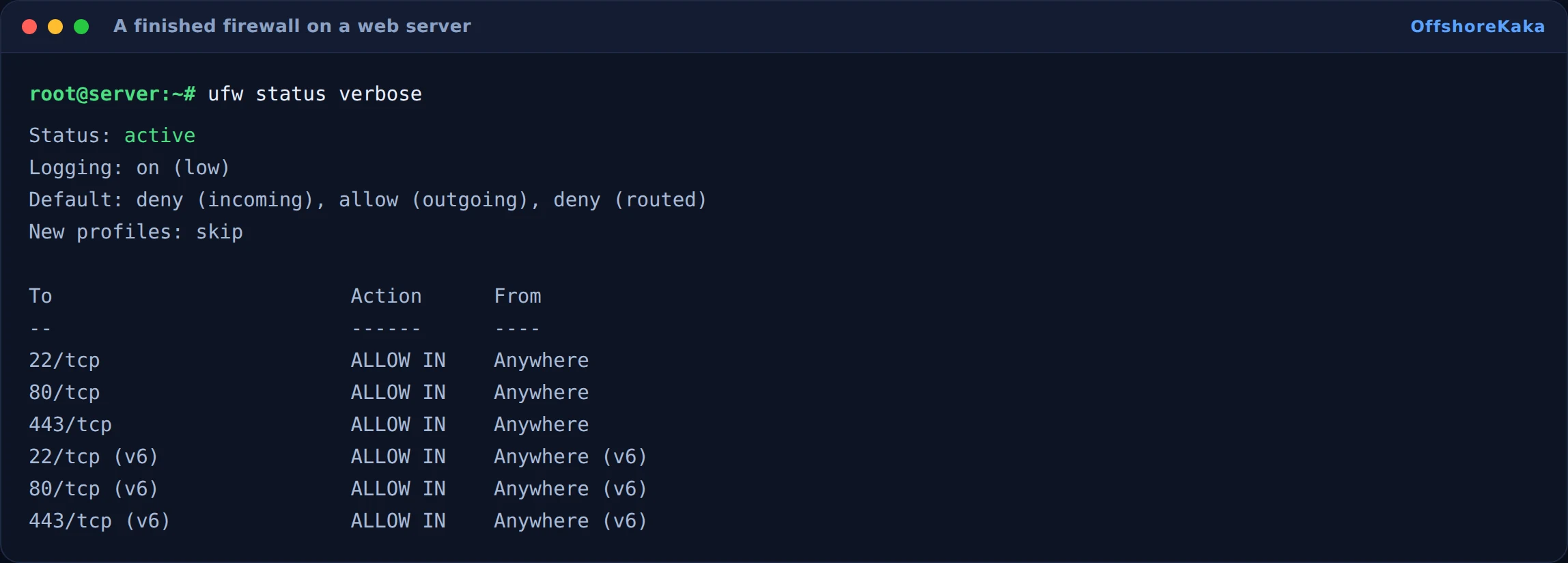
Then, inside the panel settings, do three more things:
- Change the port from the default 8888 to something else.
- Turn on BasicAuth, which adds a second password prompt before the panel even loads.
- Set an IP allowlist in the panel’s own security section, as a second layer behind the firewall.
Also note that aaPanel installs phpMyAdmin on port 888 by default. If you do not use it, turn it off. It is a well known target and it is one more thing to keep patched.
Choosing the stack
On first login the panel offers to install a stack. Pick LNMP unless you have a reason not to, since nginx uses noticeably less memory than Apache on a small VPS.
Choose the fast compiled installation rather than compile from source. Compiling takes an hour or more on a small server, produces the same result for almost everyone, and occasionally fails partway through on a 1GB box.
Pick PHP 8.2 or 8.3, MySQL 8 or MariaDB 10.11, and nginx. You can add other PHP versions later and run different sites on different versions, which is one of the nicer things about a panel.
Adding a site
In Website, click Add site, enter the domain, and let it create the database and the FTP user at the same time. Then use the SSL tab to issue a Let’s Encrypt certificate, which needs DNS already pointing at the server.
Two settings worth changing straight away on any site you add:
- Force HTTPS, in the SSL tab, once the certificate is issued.
- The default document and rewrite rules if you are running WordPress. The panel has a WordPress preset in the rewrite section that handles permalinks.
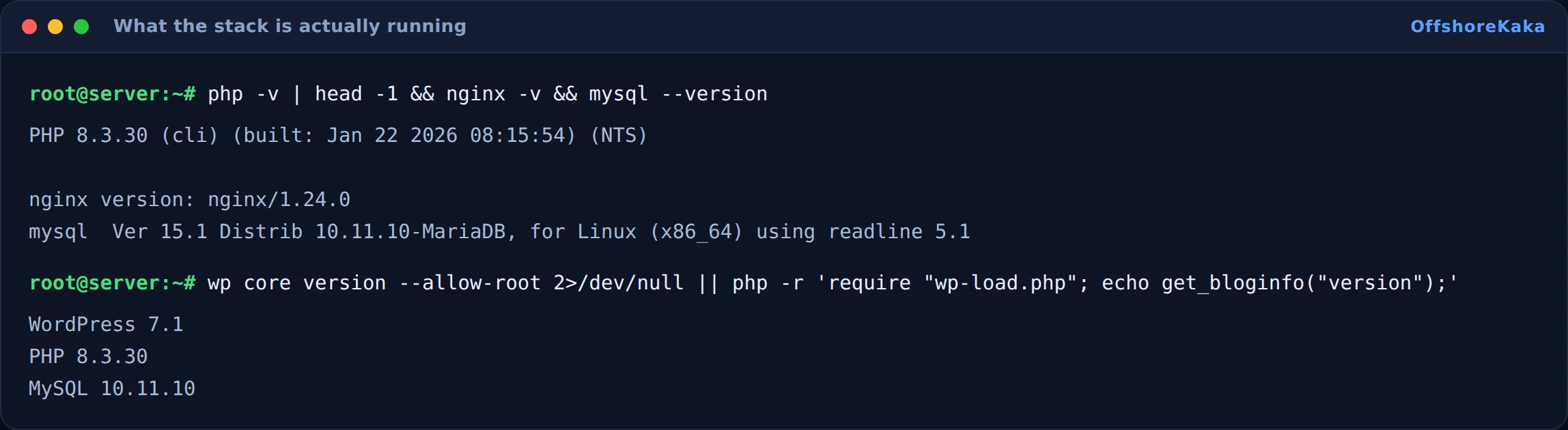
Then check what you have actually got running:
How to test
- Panel loads on its port from your IP, and not from anywhere else.
- A test site loads over HTTP, then over HTTPS after issuing a certificate.
- An inner page loads, proving rewrite rules are set.
- phpMyAdmin is either off or restricted.
- A scheduled backup runs and produces a file with a real size.
- Reboot and confirm nginx, MySQL and the panel all come back.
When something breaks
| What you see | Why | Fix |
|---|---|---|
| Lost the panel URL or password | Only printed once at install | bt default over SSH, or bt 5 to reset |
| Panel unreachable after enabling the firewall | Panel port not allowed | bt default to find the port, then allow it from your IP |
| Install fails or hangs | Existing web server, or too little RAM to compile | Clean OS, and use the fast compiled option |
| Certificate will not issue | DNS not pointing here yet, or port 80 closed | dig +short yourdomain.com, then open 80 |
| Site homepage works, inner pages 404 | Rewrite rules not set for WordPress | Apply the WordPress preset in the site’s rewrite tab |
| Panel edits to nginx.conf keep disappearing | The panel rewrites its own config files | Make changes through the panel, or in the per-site include file |
Checklist
- Installed on a clean server.
- Login URL, username and password saved somewhere safe.
- Panel port changed off the default and restricted to your IP.
- BasicAuth enabled on the panel.
- phpMyAdmin disabled or locked down.
- LNMP installed with the fast compiled option.
- Certificate issued and HTTPS forced.
- Backups scheduled and one restore tested.
Prefer a panel you do not have to secure yourself?
OffshoreKaka shared and reseller plans come with cPanel already configured and maintained, on LiteSpeed servers in Amsterdam and Frankfurt.
FAQ
Is aaPanel really free?
The panel is. Some plugins inside it are paid, mostly the professional firewall and a few monitoring add-ons. Nothing you need for normal hosting is behind a paywall.
How does it compare to cPanel?
cPanel is more polished, has a much larger ecosystem, and is what most hosting companies and clients expect. aaPanel costs nothing and installs in ten minutes. For your own sites, aaPanel is fine. If you are reselling to clients who expect cPanel, use cPanel. Our cPanel install guide covers that side, including the parts that are not reversible.
How much RAM does it need?
It runs on 1GB but that is tight once MySQL and PHP are also running. 2GB is a more honest minimum for a real site. There is more on sizing in choosing VPS specs.
Does a control panel affect SEO?
No. Google never sees it. What it affects is how likely you are to keep things updated and backed up, which matters indirectly.