
Offshore Hosting Guides
Why the panel matters more than people admit
cPanel is not exciting. It is also the difference between hosting being something you manage in ten minutes a month and something that eats your evenings. On an offshore plan it does the same job it does anywhere: email accounts, databases, certificates, backups and file access, all in a browser.
The reason it is worth talking about is that it is the thing that makes offshore hosting usable by people who are not sysadmins. Without it, offshore hosting means a bare VPS and a command line.
What it actually does
cPanel is a web interface over the things a Linux server can do. Instead of editing config files over SSH, you click.
- Files. Upload, edit and restore without FTP.
- Databases. Create them, create users, and open phpMyAdmin.
- Email. Mailboxes, forwarders, autoresponders, webmail, and the DKIM records that decide whether your mail reaches an inbox.
- SSL. Free certificates issued and renewed automatically.
- Backups. Download a full copy of your account, or restore one.
- Cron jobs. Scheduled tasks without touching crontab syntax.
- One click installs. WordPress and similar, in about a minute.
The parts you will actually use
Most of cPanel you will never open. These four you will.
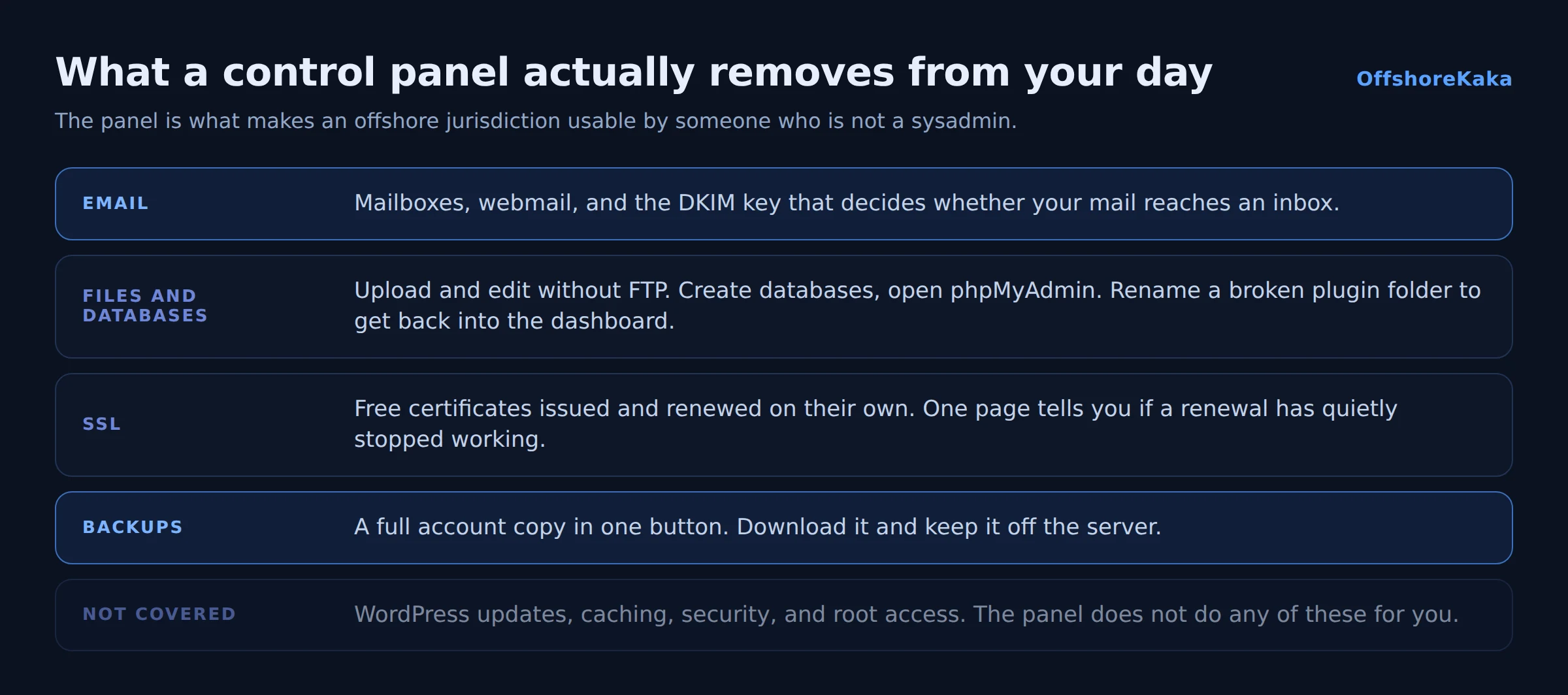
Email Accounts. Creating [email protected] takes thirty seconds. The part worth learning is the Email Deliverability page, which generates your DKIM key and checks your SPF record. Those two records decide whether your mail lands in an inbox or a spam folder, and our business email guide covers them properly.
File Manager. Faster than FTP for a quick edit, and it works from any machine. It is also how you fix a site when a bad plugin has locked you out of the dashboard: rename the plugin folder and WordPress deactivates it.
Backup. A full account backup is one button. Download it and keep it somewhere that is not the server, because a backup on the same machine protects you from almost nothing. See our backup guide.
SSL/TLS Status. Certificates renew on their own, and occasionally they quietly do not. This page tells you at a glance.
Why it matters offshore specifically
Two reasons, and both are practical rather than technical.
First, offshore hosting is often bought by people who chose it for a legal reason rather than a technical one. A journalist or a small business owner picking a Dutch host for its takedown policy does not want the tradeoff to be learning nginx. cPanel means the jurisdiction decision does not come with a sysadmin decision attached.
Second, support distance. If your host is in another country and possibly another timezone, being able to fix things yourself matters more. Restoring a backup, resetting an email password or reissuing a certificate at 2am is much better than waiting for a ticket reply.
What it does not do
Worth being clear, because people assume the panel covers everything.
- It does not maintain WordPress. Plugin updates and security are still yours. Our malware guide covers what happens when they are neglected.
- It does not make a slow site fast. Caching does that, and it is a separate decision.
- It does not give you root. On shared hosting you cannot install system packages or change PHP compile options. If you need that, you need a VPS.
- It does not replace your own backups. Host backups are for the host’s convenience first. Keep your own copy off the server.
Alternatives
aaPanel is free and covers most of the same ground on a VPS you manage yourself. Less polished, no licence fee. Our aaPanel guide walks through installing it.
CyberPanel is free and built on OpenLiteSpeed, so it comes with good caching out of the box.
No panel at all is lighter and faster, and it means every task is a command. Fine if you live in a terminal, painful otherwise.
On shared hosting the panel comes with the plan and there is nothing to decide. On a VPS you choose, and the honest question is how much of your time you want to spend.
What to check before buying
- Which panel is included, and whether the licence is covered.
- Whether free SSL is issued and renewed automatically.
- Whether backups are included and self-service.
- How many email accounts and databases the plan allows.
- Which PHP versions are available, and whether you can switch.
- Whether the panel is on a recent version.
Want cPanel on offshore servers?
OffshoreKaka shared and reseller hosting includes cPanel with free SSL, email and one click WordPress, on LiteSpeed servers in Amsterdam and Frankfurt.
FAQ
Do I have to pay extra for cPanel?
On shared and reseller hosting it is normally included in the plan price. On a VPS you buy the licence separately, billed monthly and priced by account count, which is why free panels are popular on small VPS servers.
Is cPanel secure?
The software is maintained and patched regularly. The risk is not the panel, it is leaving it reachable from the whole internet with a weak password. Use a strong password, turn on two factor authentication, and if you run your own server, restrict the WHM port to your own IP. Our cPanel install guide covers the firewall side.
Can I move away from cPanel later?
Yes. A cPanel backup contains your files, databases and email in a standard format, and most panels can import it. You are not locked in.
Does a control panel help my SEO?
No. Google never sees it. Indirectly it helps, because a site that is easy to keep updated and backed up stays online and secure, and both of those do matter.